A browser flying toy
Dusk Patrol
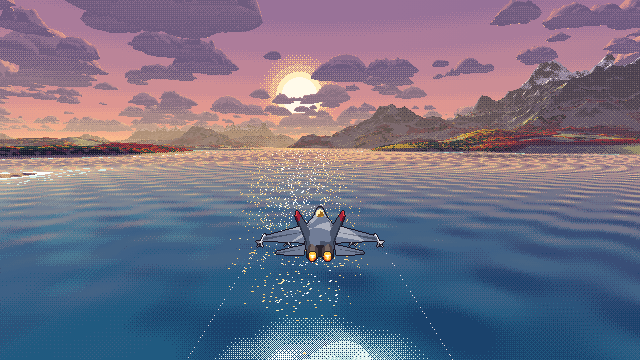
Take a pixel-art fighter over autumn lake country at the last light of day.
A whole world generated in your browser, ray-marched in raw WebGL2, and shipped as one small HTML file. No engine, no images, no install.
- 1 HTML file
- 0 dependencies
- 20 km of world
- 3 cameras
Behind this text: Live: the actual game, flying itself.
Three ways to fly
Chase it. Fly it. Map it.
Space swaps between three cameras with a one-second swoop. The jet never leaves the frame.
Chase
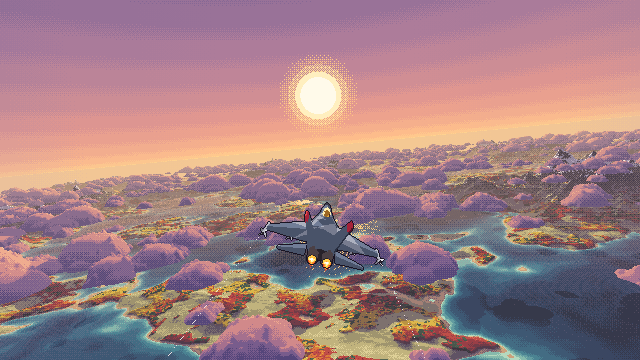
Sit behind the jet as it banks through the cloud tops. Hold the mouse for afterburner. Click for a barrel roll that corkscrews your vapour trails.
Cockpit
A hand-plotted panel where every needle reads the sim. A HUD whose pitch ladder sits exactly on the real horizon.
Top-down
North up, like a map. The jet flies toward your cursor across lakes, forest and long violet shadows.
Generated on load
A whole world, grown in your browser
Before the title card appears, your machine's cores build a seamlessly tiling patch of lake country, 20.48 km on a side. It has lakes with pale turquoise shallows and navy depths, sandy beaches, meadows, forests in orange, crimson and gold with dark conifers, grey-violet rock, and snow on the highest peaks.
Shadows for the low western sun are baked into the terrain, so every hill throws a long violet shadow. A second worker grows a field of cauliflower cumulus that drifts east while you fly.
- Height samples
- 4.2 M
- Grid spacing
- 10 m
- Cloud clusters
- 250
- Generated in
- < 1 s
Postcards from the patrol
Golden hour, every hour
No assets, no engine
Everything on screen is drawn by code
Procedural lake country
Domain-warped noise with erosion-style hills, ridged ranges and long shallow shelves, generated by web workers while a progress bar fills.
Ray-marched, any angle
Every pixel marches the height field on the GPU, so the camera can look anywhere, from cockpit to map view.
Puffy cumulus
A cloud layer below cruise altitude, shaded in stepped peach-to-violet tones, with silver linings toward the sun and shadows on the land.
A cockpit that reads true
Airspeed, attitude, altimeter, turn & slip, heading, climb rate, an amber ground-mapping radar, engine tapes, and a clock on your local time.
Missiles with aftermath
Four on the wings, re-arming in seconds. A flash, a fireball and a shock ring, then scorch marks with embers on land or spray columns on water.
Can't crash
Arcade flight that pulls up on its own before terrain. It skims water at ten metres, throwing spray and a wake.
Under the hood
How it works
One index.html: raw WebGL2 for the world, Canvas 2D for the cockpit, Web Audio for sound. Here's the path from a blank page to a jet at sunset.
-
01
Generate
Web workers split the 2048×2048 height field into strips and fill it with tiling noise. A final pass grows forest patches, adds canopy height, sweeps shadows across the tile for a sun 8.5° above the horizon, blurs in ambient occlusion, and builds a max-mip pyramid: each level stores the highest point in its cell.
-
02
Trace
A fragment shader casts one ray per pixel. It strides over empty air a whole mip cell at a time, drops a level whenever the ray might touch terrain, and solves the exact bilinear patch where it lands. Clouds are a second, signed height field traced the same way, so their outlines stay smooth.
The heatmap shows the work per pixel: amber for terrain, teal for clouds. Open sky is nearly free.
-
03
Shade and dither
Every colour comes from a hand-picked ramp: water from navy to pale turquoise, clouds from violet to peach, forests in orange, crimson and gold. Light picks a tone, and a 4×4 Bayer matrix dithers only a narrow strip at each tone boundary, so bands stay flat and edges stay crunchy. The image renders at about 340 px tall and scales up by whole pixels.
Drag the slider to see how dither width changes a sky gradient.
-
04
The jet
About three hundred triangles built from code: a pointed dark radome, gold-tinted bubble canopy, cropped delta wings, canted twin fins with red caps, and glowing nozzles. Every face gets one of three tones, a splinter camouflage of grey and slate, then a one-pixel dark outline in the final pass. A small orthographic mask throws its shadow onto land, water and cloud.
-
05
Cockpit and HUD
Instruments are plotted pixel by pixel on a Canvas 2D surface with a 3×5 font: airspeed, attitude ball, altimeter with drum digits, turn & slip, heading card, climb rate, an amber radar with sweep persistence, engine tapes, warning lamps and a throttle that follows the afterburner. The HUD projects its pitch ladder through the same camera as the world, so 0° sits exactly on the horizon.
-
06
Feel
The flight model is arcade, but G-limited, so the meter reads like a fighter's. Predictive terrain avoidance looks five seconds down your path and pulls up just early enough, which means you can dive at a lake and level off into a spray-throwing skim. If frames run slow, the internal resolution steps down a notch, always by whole pixels.
Flight manual
Controls
Mouse and keyboard
- Mouse
- Steer. In top-down the jet flies toward the cursor. In chase and cockpit, the cursor's offset from centre sets turn and climb.
- Click
- Barrel roll
- Hold
- Afterburner
- Right click / F
- Missile. Four on the rails, each re-arms after a few seconds.
- Space
- Cycle views: top-down, chase, cockpit
- M
- Sound on or off. It's synthesised live, and off by default.
- P
- Pause
Controller
- Left stick
- Fly. In top-down, point where you want to go.
- RT
- Afterburner
- A / LT
- Missile
- B
- Barrel roll. LB and RB roll left or right.
- Y
- Cycle views
- Start
- Pause
- Back
- Swap pitch: pull back or push up to climb
- D-pad
- Altitude in top-down view
Xbox, PlayStation and most USB or Bluetooth pads. Press any button to wake it.
Touch
- Drag
- Steer from anywhere on screen
- Fire
- Launch a missile
- Boost
- Hold for afterburner
- Roll
- Barrel roll
- View
- Cycle the three cameras
Until you take the stick, the jet flies lazy S-turns on its own.
No install
Play it right here
It runs in this page. Click inside the screen to give it the keyboard, or pick up a controller. Then press Space (or Y) for the cockpit.